How this was made.
One image, a little geometry, and light you can play with.
The starting image
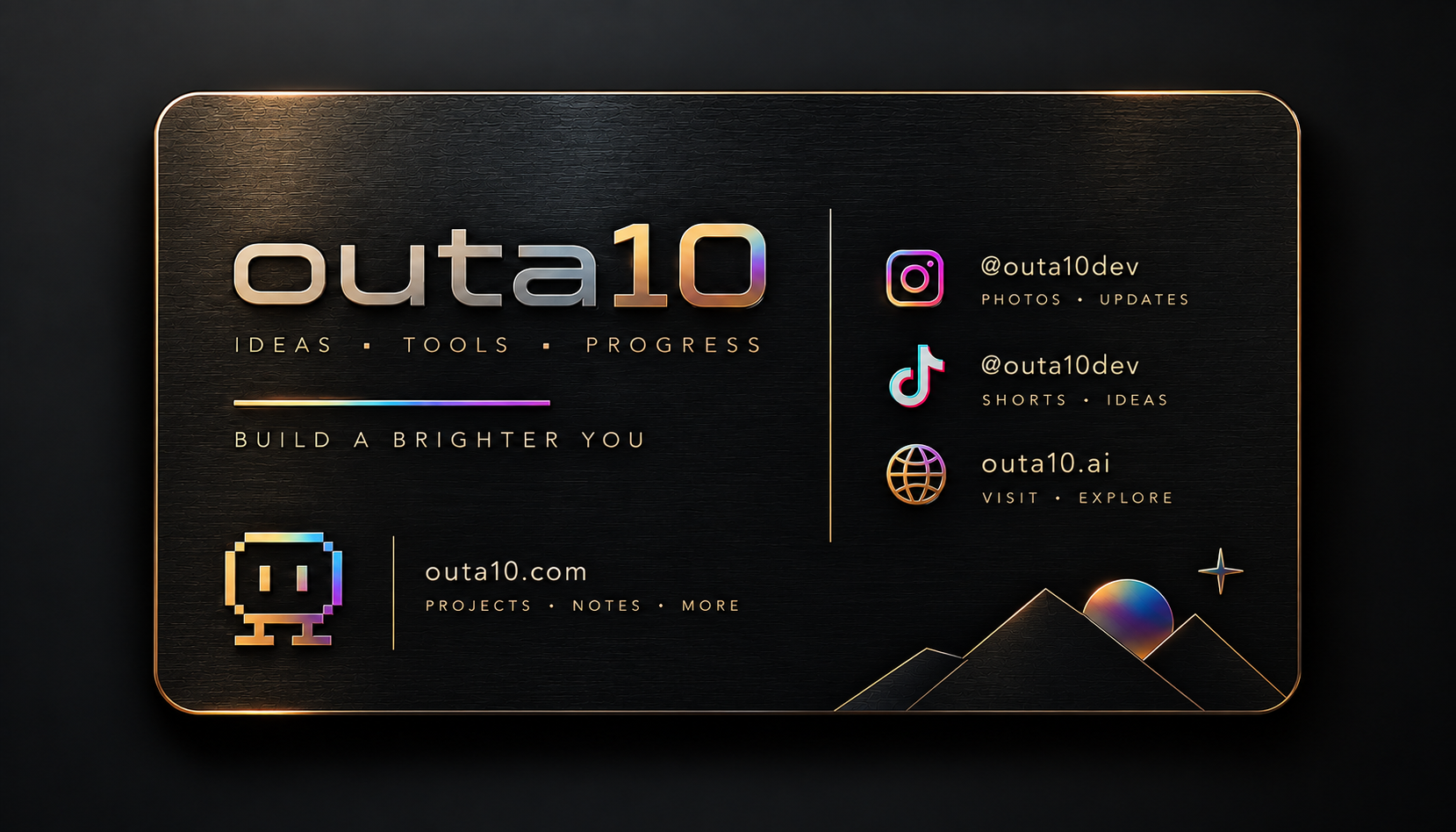
The original image supplied for this project. Keep the lettering and layout intact.
Download original imageThe tools
- Codex
The agent that writes the model and website.
Find in Vault - Blender
Builds the card, bevels, and raised details.
Find in Vault - Three.js
Makes the model interactive in the browser.
Find in Vault - Next.js
Connects the showcase to the outa10 website.
Find in Vault - React
Powers the page controls and state.
Find in Vault - Supabase
Stores the Vault resources and project connections.
Find in Vault




The skills
- Supabase skill
Used to connect this recipe to the Vault.
Find in Vault - Impeccable
Used for the page design and review.
Find in Vault - OpenAI Docs
Used to check the model and setup guidance.
Find in Vault - Blender Agent Studio
Optional companion for modeling and validation.
Find in Vault - Blender-to-web
Optional companion for the browser handoff.
Find in Vault


Made with Blender scripts and Three.js. Impeccable, OpenAI Docs, and the Supabase skill were used here. The two Blender skills were researched as references; installing them is an optional way to recreate the workflow.
Make your own.
Five steps. Start with the image, finish with something you can hold on screen.
Start with an inspiration image.
Attach the card image in Codex. Say which lettering, colors, and details should stay exactly the same.
Set up your agent.
Choose GPT-6 Astra with High reasoning. Install Blender, then ask the agent to install Impeccable and the two Blender companion skills from the links above. Start a fresh task if the new skills aren’t available yet.
Give the card some weight.
Ask for a slightly thick metal card with rounded corners, a polished edge, and shallow raised details. Keep the editable Blender file and export a lightweight GLB for the web.
Make it something you can play with.
Ask for a dark, full-page Three.js showcase. Add drag-to-rotate, momentum, flip, zoom, and reflections that move across the metal. Make sure it works on a phone too.
Try it, refine it, keep the recipe.
Turn the card sideways to check its thickness. Check the shine, small-screen controls, and reduced-motion behavior. Save the image, model, tools, skills, and prompt together with the project.
Give your agent this prompt.
Attach the starting image, then paste this into a new task.
Before you paste: select GPT-6 Astra with High reasoning.
A suggested recreation prompt, not a transcript of the original build.
Keep the source files.
The image supplies the artwork; Blender adds the card’s shape and raised details. Three.js adds the motion and live reflections.